
Uses
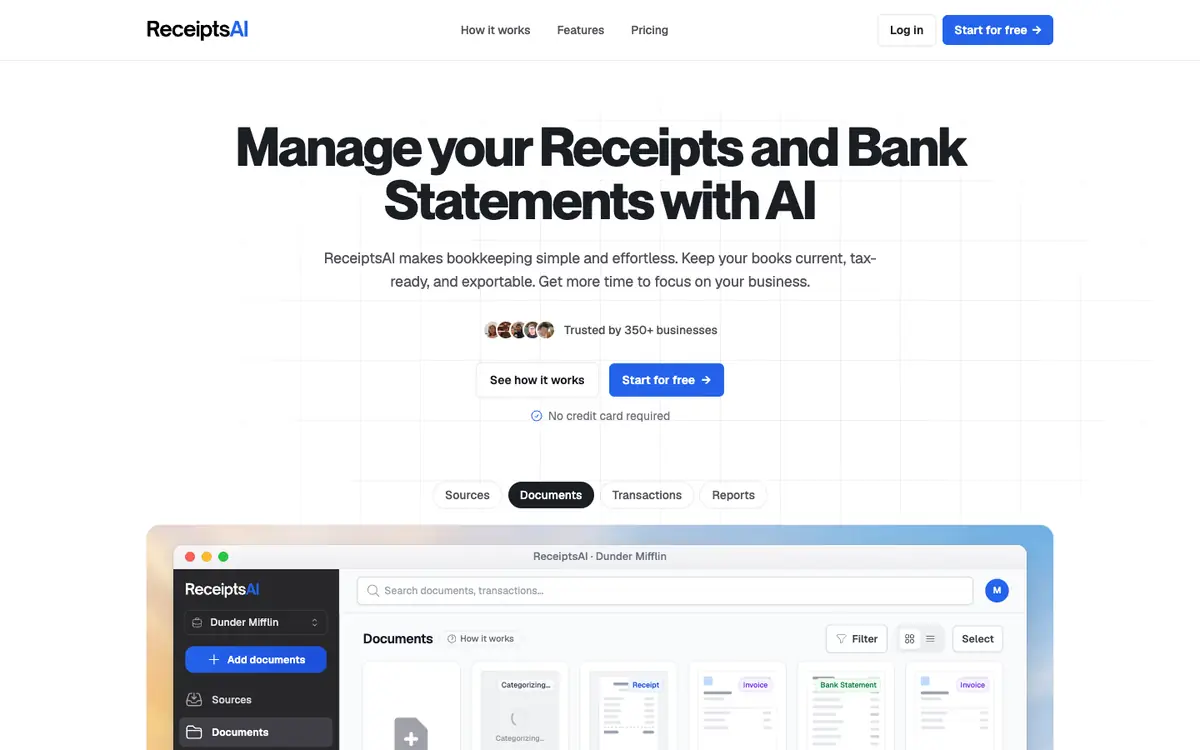
Turn scanned receipts into categorized expenses with OCR to organize your bookkeeping (receiptsai:c1). Match receipts against bank statements to keep records consistent. Generate expense reports and export them in Excel, CSV or PDF.

Tool profile · Publisher documentation
ReceiptsAI is a bookkeeping tool that automatically extracts and categorizes your receipts, invoices and bank statements to keep your books organized (receiptsai:c1). It covers everyday expense tracking for freelancers and small teams without manual data entry. Its documented features include OCR receipt scanning, automatic expense categorization, receipt-to-bank-statement matching, expense reports and export to Excel, CSV and PDF. LE LABO IA has not tested the product, and this profile relies on the public documentation of its supplier. Pricing reads Start Free at 0 dollars per month, Freelancers from 12 dollars per month, Small Business from 24 dollars per month, Growing Teams from 39 dollars per month, and a Premium plan at 24 dollars per month billed as 288 dollars annually, about two months free. Prices, quotas, availability and terms are not confirmed and should be checked with the supplier.
Tool profile · Publisher documentation
The product points below come from publisher documentation. No common hands-on test is claimed. Documentary profile, sources checked October 7, 2026. LE LABO IA has not tested this product.
Turn scanned receipts into categorized expenses with OCR to organize your bookkeeping (receiptsai:c1). Match receipts against bank statements to keep records consistent. Generate expense reports and export them in Excel, CSV or PDF.
Prices are not confirmed and should be checked with the supplier. Start Free is 0 dollars per month, Freelancers from 12 dollars per month, Small Business from 24 dollars per month and Growing Teams from 39 dollars per month. The Premium plan is 24 dollars per month billed as 288 dollars annually, about two months free. 30 free credits at the start and a 30-day refund guarantee are listed.
LE LABO IA has not tested ReceiptsAI, so only documented features are described. Quotas, territorial availability and usage conditions are not confirmed. Prices, plans and the refund guarantee are not confirmed and should be checked with the supplier.
Before committing, check the guide price of each plan directly on the supplier site. Confirm how many credits, receipts or users each plan includes and whether a refund window applies. Try scanning a sample of your own receipts and check the exported Excel, CSV or PDF files.