Tool profile · Publisher documentation
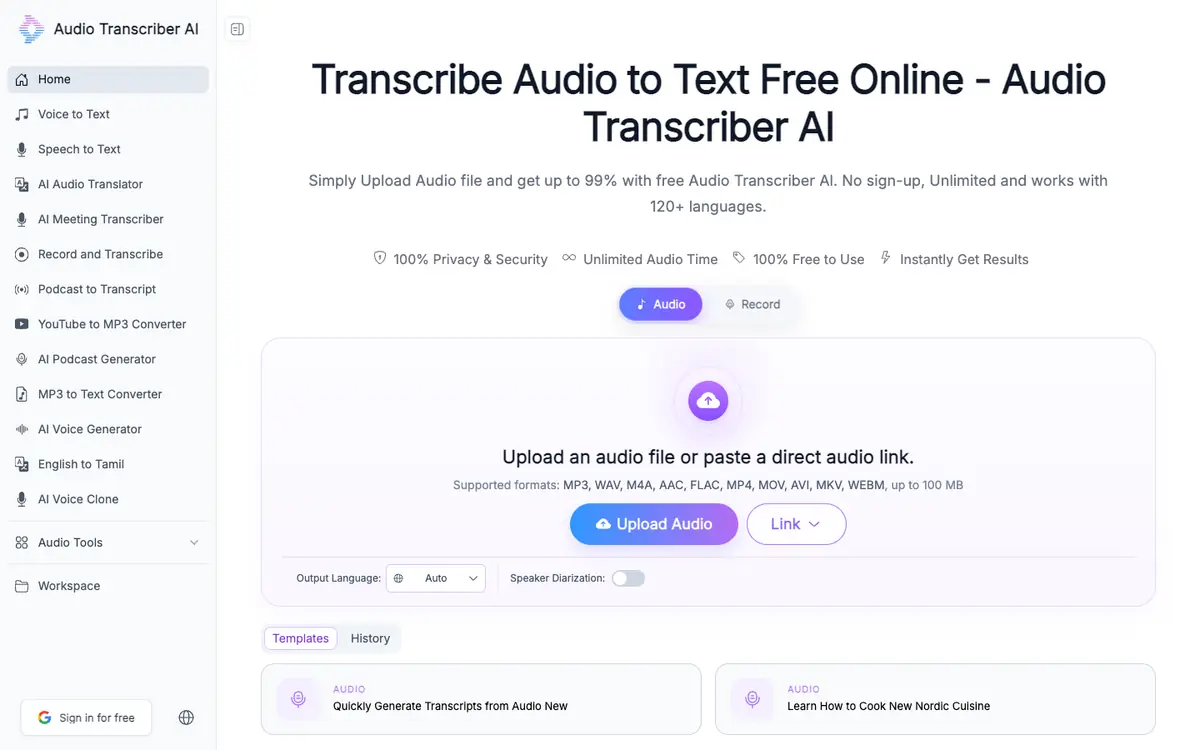
The product points below come from publisher documentation. No common hands-on test is claimed. Documentary profile, sources checked October 7, 2026. LE LABO IA has not tested this product.
Uses
Turn a recorded meeting into a text file you can review and share. Produce timestamped subtitles in SRT or VTT for a video or podcast. Write up an interview and keep track of which speaker said what. Convert a lecture or voice note into text for study or reference.
Offer and pricing
The documentation consulted shows a free tier that does not require sign-up and displays no usage limit. No paid plan price appears on that page, so the availability and cost of higher tiers are not confirmed. Check the supplier site for current quotas, paid plans, billing terms and any restrictions on commercial use.
Limits to check
LE LABO IA has not tested Audio Transcriber AI; all product details here come from the supplier's public documentation. The number of files, minutes or languages allowed without payment is not confirmed and may change. Country availability and terms of use are not confirmed, so check them with the supplier. No paid price is visible in the documented pricing, so the cost of any higher tier remains unknown.
What to check yourself
Before you commit, open the supplier site and upload a short recording that includes at least two voices. Check whether the speaker detection keeps each person separate and whether the timestamps line up with the audio. Export the result as TXT and SRT to confirm the formats work as you need. If you plan regular use or commercial use, ask the supplier directly about quotas, availability in your country and the terms that apply.
- Country availability is not confirmed.
- Quotas and terms of use are not confirmed.
- Paid tiers and their prices are not confirmed.
- No independent test of transcription quality or language coverage has been performed by LE LABO IA.